Home / Features / Needs-review inbox for unclear SMS
Needs-review inbox for unclear SMS
Automation should never silently invent spending. Unclear messages wait for your decision — approve, reject, or edit first.
- See pending SMS-detected transactions in one inbox
- Approve clean matches; reject junk or duplicates
- Edit category, payee, or amount before sync
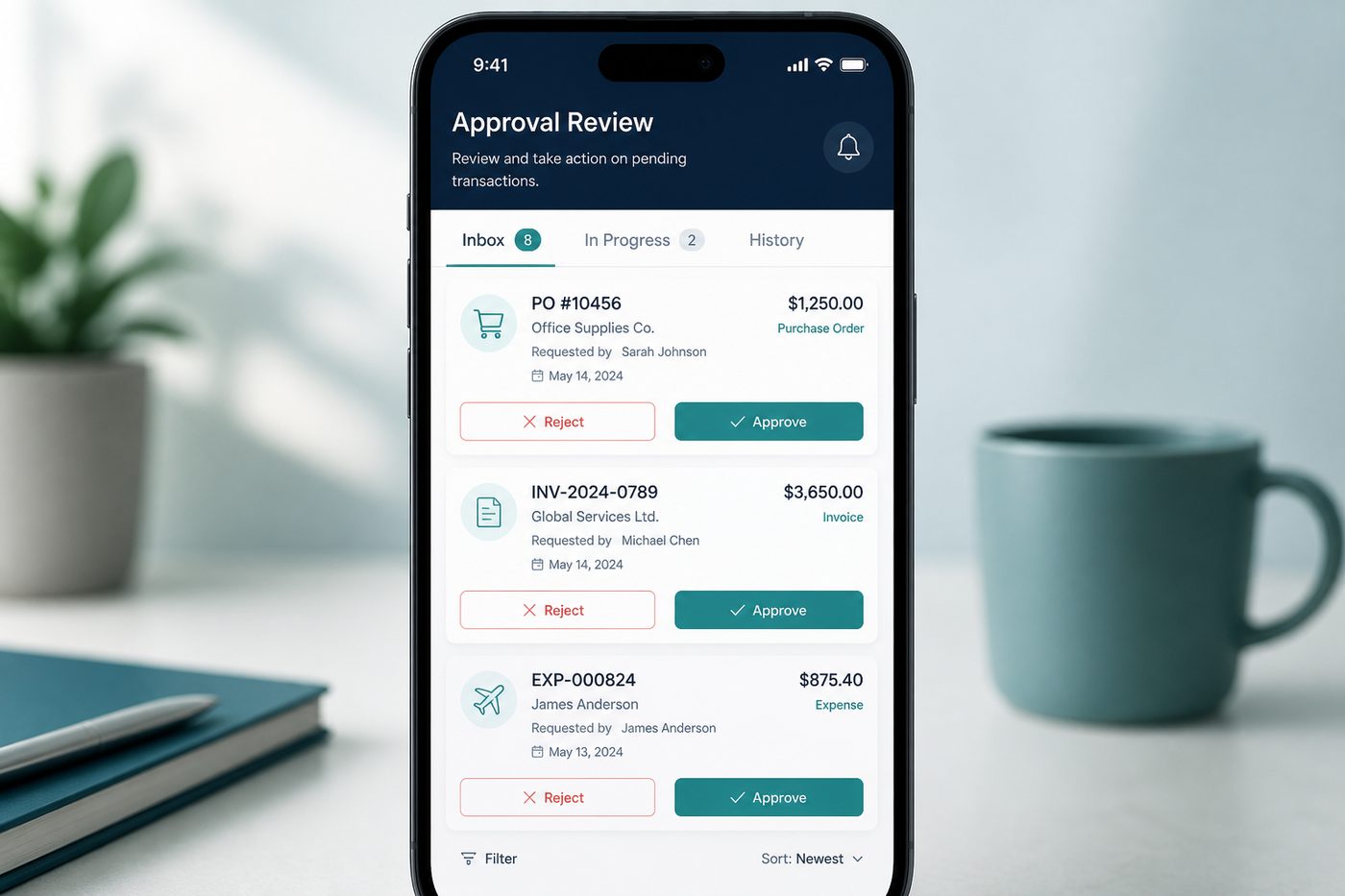
Quick answer: Unclear or low-confidence SMS parses wait in the needs-review inbox — you approve, reject, or edit before anything hits your Google Sheet.
Human-in-the-loop control for automated capture
Automation should reduce typing, not introduce phantom expenses. FinArt and enterprise tools like Kredmint use review workflows; Kharch Log brings a personal version — you are the approver for anything the SMS parser is unsure about.
How the review inbox works
- SMS arrivesKharch Log parses the message on-device and scores confidence — amount, merchant, debit vs credit.
- Unclear → inboxPromotional SMS, OTPs, balance enquiries, and ambiguous debits stay out of your Sheet until you decide.
- Review side by sideSee parsed amount, category hint, payee, and the original SMS snippet in one place.
- Approve, reject, or editAccept clean matches in one tap; reject junk; fix category or amount before sync.
Why approval beats silent automation
Fast Budget can auto-import bank transactions — but wrong categorisation still happens. With SMS parsing, formats vary by bank. A review step keeps your Sheet trustworthy without giving up automation entirely.
Lightweight approval workflow
Not enterprise expense management — just a personal gate between SMS noise and your ledger.
Works with Sheets sync
Approved rows append to the same Google Sheet as manual entries — one source of truth.
No phantom expenses
Failed parses never inflate monthly totals — you decide what counts.
Duplicate protection
Reject when the same UPI alert was already logged manually or approved once.
Category cleanup
Fix Food vs Groceries before the row syncs — reports stay meaningful.
Promo & OTP filter
Marketing texts and verification codes should not become expenses.
Edit before commit
Adjust payee spelling or amount typos from OCR-style parsing.
Trust the automation
When inbox is empty, you know auto-captured rows are ones you accepted.
How Kharch Log compares
| Option | What it gives you | Where Kharch Log helps |
|---|---|---|
| Fully automatic trackers | Zero taps, but wrong rows slip into reports. | Automation plus your approval for uncertain SMS. |
| Manual-only apps | Accurate but tedious for 20+ UPI spends per week. | SMS proposes; you confirm only the unclear ones. |
| Spreadsheet formulas | Can flag duplicates manually — high maintenance. | Inbox surfaces candidates automatically on-device. |
| FinArt-style classify | Auto-classifies supported messages with platform permissions. | Kharch Log adds explicit inbox for low-confidence Indian SMS formats. |
Common questions
Can I approve from transaction detail?
Yes — pending SMS items show approve and reject actions until you decide.
What happens to rejected SMS?
Dismissed — never written to your Google Sheet.
Do manual entries use the inbox?
No — only auto-captured SMS needing confirmation appear there.
How often should I check the inbox?
Once daily is enough for most users — or enable notifications if available.
Can I edit then approve?
Yes — change category, payee, or amount before syncing.
Does rejection delete the SMS from my phone?
No — it only prevents Kharch Log from logging that message as an expense.