Home / Features / Manual & voice expense entry
Manual & voice expense entry
Digitize spending the moment it happens. Fast forms and voice add keep your expense tracker accurate without spreadsheet busywork.
- Log amount, category, payment mode, payee, and notes quickly
- Switch between money out and money in on the same screen
- Use voice add when your hands are full — then confirm and save
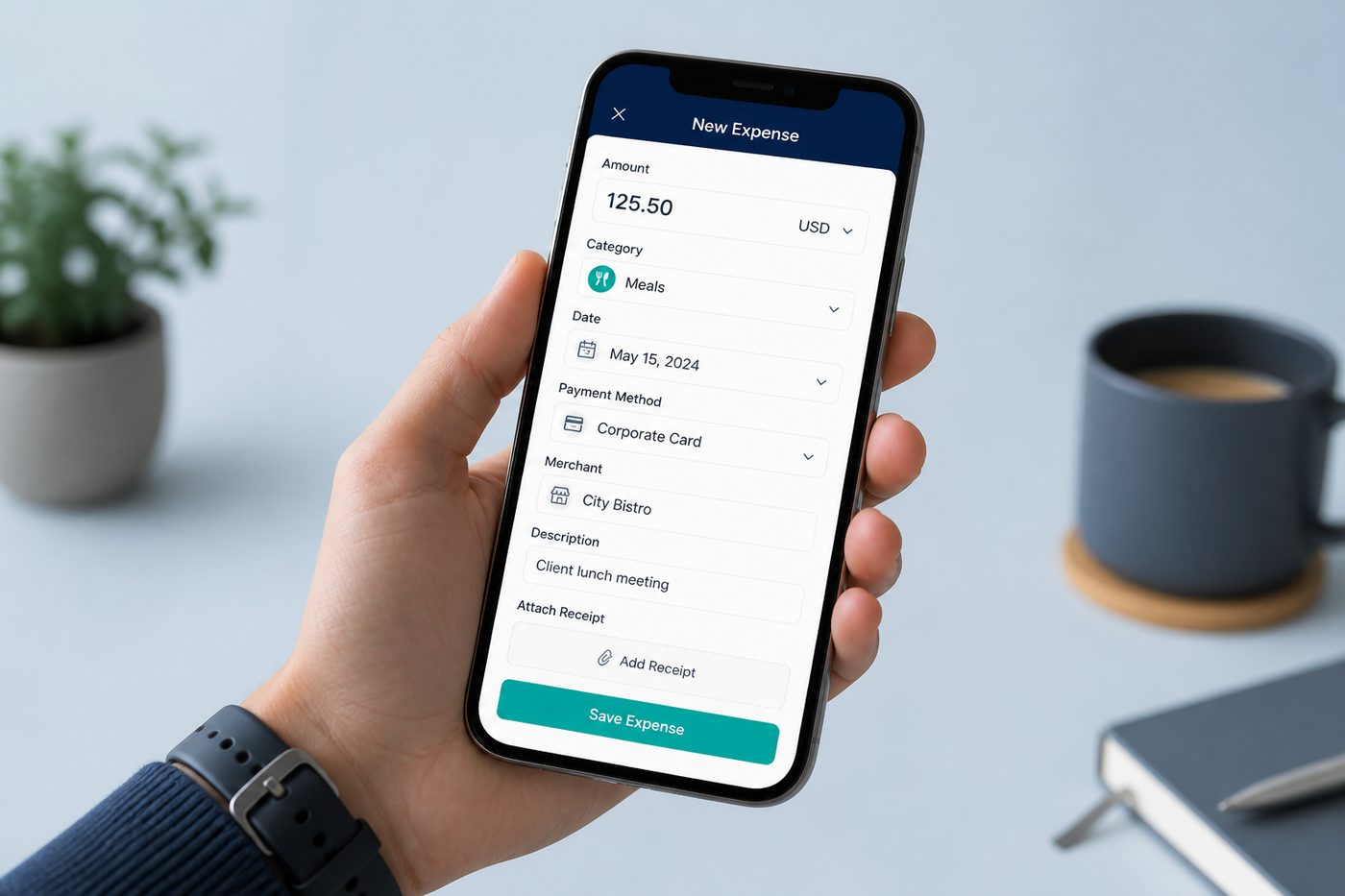
Quick answer: Kharch Log lets you log expenses and income in seconds — type amount, category, payee, and notes, or speak them with voice add — then sync every row to your own Google Sheet.
Expense entry that survives real life
Most budgeting apps fail for the same reason FinArt and Fast Budget both call out: daily typing does not survive UPI across three apps, two cards, cash, and subscriptions. FinArt solves this with SMS automation; Fast Budget with bank sync and templates. Kharch Log focuses on the fastest honest path — manual form plus voice add — so you capture at the moment of spend and still own the ledger in Google Sheets.
How manual & voice entry works
- Open add expenseEnter amount, category, payment mode, payee, and notes. Switch money out vs money in on the same screen — no separate apps for income.
- Or use voice addSay natural phrases like “lunch two forty” or “received refund eight hundred”. Kharch Log parses the amount, shows a confirm screen, and lets you fix category before save.
- Review once, saveUnlike chat bots that auto-post, you confirm every voice entry — same quality bar as manual logging.
- Sync to your SheetThe row lands in your Kharch Log Google Sheet in Drive. Edit later from the app or directly in Sheets on desktop.
Built for the way people actually spend
Fast Budget highlights unlimited categories and quick templates; Kharch Log keeps categories practical and pairs them with SMS auto-capture. The goal is not a perfect taxonomy on day one — it is same-day capture so your Sheet stays trustworthy.
Same-day beats perfect
Logging at the point of spend beats reconstructing Sunday night. Today view and reports only work when capture is frictionless.
Categories that stick
Start with Food, Travel, Bills, Shopping — expand only when you actually use the tags. Fast Budget allows deep subcategories; Kharch Log prefers fewer tags you maintain.
Under ten seconds
FinArt notes that nobody maintains manual entry past week two. Kharch Log optimises for speed: amount first, smart defaults, one save.
Income + expenses
Salary, refunds, freelance payments, and side gigs log beside debits — one money book, not two silos.
Any currency
Log ₹, $, €, or mixed currencies when you travel — no forced conversion engine.
Cash & offline
Manual entry works without network. Voice typically needs connectivity for speech recognition.
Voice when hands are busy
After checkout, in a cab, or cooking — speak, confirm, done. Inspired by voice-first trackers like Voice Sheet.
Sheet as backup
Even if you switch apps later, every row you logged remains in Google Drive.
How Kharch Log compares
| Option | What it gives you | Where Kharch Log helps |
|---|---|---|
| Spreadsheet only | Fully customisable, but easy to abandon after a week. | App capture + Sheet storage — fast entry without giving up ownership. |
| Bank-sync apps | Automatic feeds, but often need credentials or paid plans. | No bank login — SMS auto-capture on Android plus manual/voice when you need them. |
| WhatsApp bots | Text to log, but data may live on vendor servers. | Native Android app; ledger syncs to your Google Sheet, not our servers. |
| Global budget apps | Built around card feeds and Western bank models. | Works with Indian UPI/bank SMS patterns when you enable capture. |
Common questions
Do I have to use voice?
No. Manual entry is first-class. Voice is optional when typing is awkward.
Can I edit entries after saving?
Yes — from the transaction list in the app or by editing rows in Google Sheets.
Does voice work offline?
Speech recognition usually needs a connection; manual entry works offline and syncs when back online.
How is this different from FinArt?
FinArt automates heavily from SMS and notifications across Android/iOS. Kharch Log emphasises Sheet ownership and a review inbox for unclear SMS — you stay the approver.
How is this different from Fast Budget?
Fast Budget offers optional bank sync and premium online storage. Kharch Log is free, stores in your Sheet, and never asks for net-banking passwords.
What fields can I log?
Amount, category, payment mode, payee, notes, date, and income vs expense type.