Home / Features / Today view & spending reports
Today view & spending reports
Know where money went today — then zoom out to category trends when you need the bigger picture.
- Today dashboard for daily expense awareness
- Category breakdowns and history filters
- Pair with Sheets charts for deeper analysis
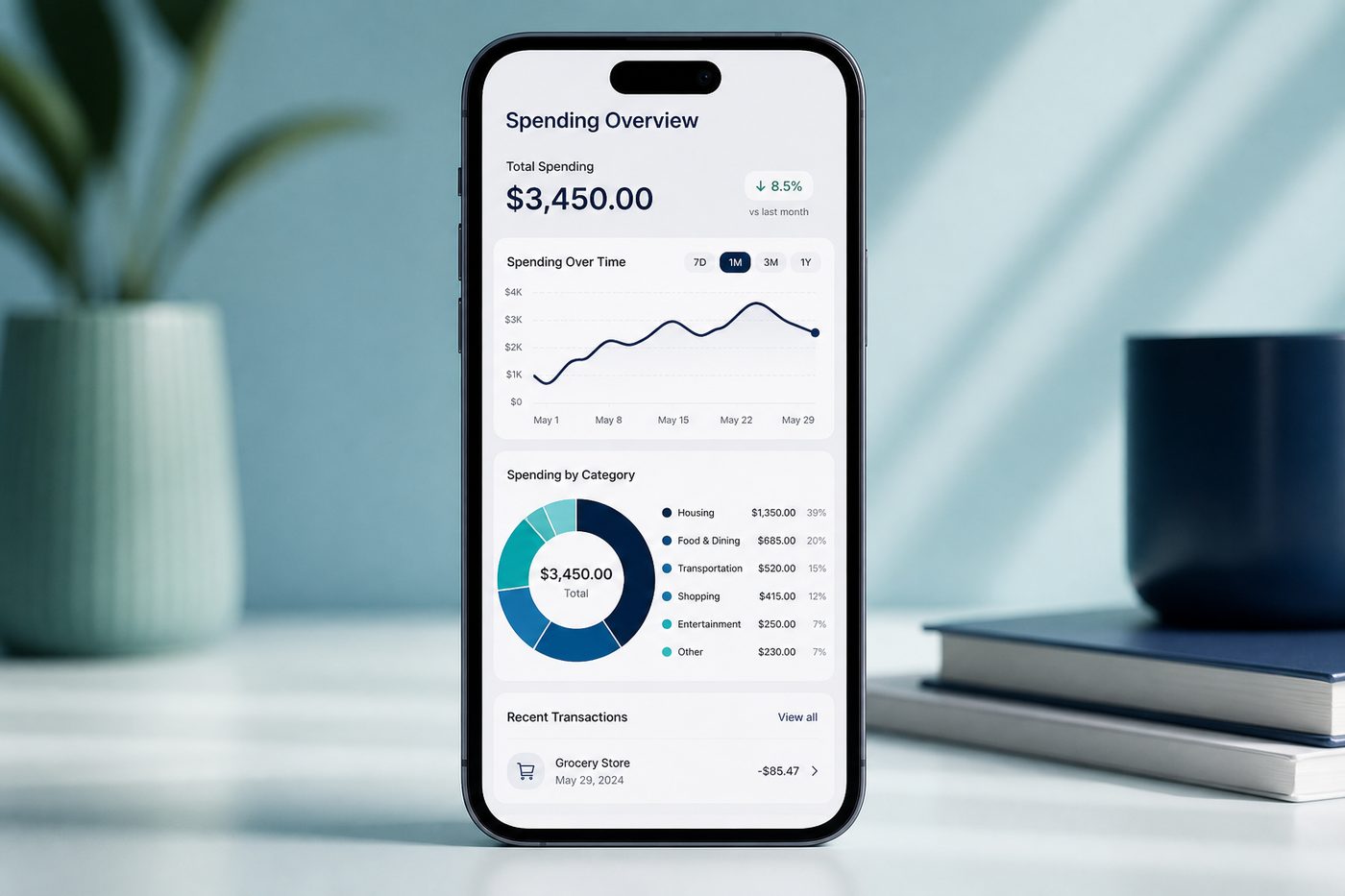
Quick answer: Kharch Log’s Today view shows same-day spending at a glance; reports break down categories over time — and you can go deeper in your synced Google Sheet.
Your finances at a glance — then drill down
Fast Budget promises “your finances at a glance” with customisable overviews and charts. FinArt compares daily pace against prior months so you know mid-month if you are overspending. Kharch Log focuses on practical visibility: Today for immediate awareness, in-app reports for category trends, and Google Sheets for anything more advanced.
How reports & Today view work
- Open TodaySee debits and credits logged today — useful right after a shopping trip or bill-payment burst.
- Browse transactionsFilter history by date range, category, or payment mode to find specific spends.
- Category breakdownReports summarise where money went — food, travel, bills, subscriptions.
- Continue in SheetsExport-ready rows mean pivot tables and custom charts on desktop when you outgrow in-app views.
Visibility that leads to better decisions
FinArt warns a monthly total only tells you on the 30th. Kharch Log’s Today view gives daily feedback; weekly Sheet reviews catch leaks from small UPI payments that add up silently.
Mid-month check-ins
FinArt compares day-five spending to prior months. You can replicate that in Sheets; Kharch Log gives the raw daily data.
Small UPI leaks
₹29 and ₹49 payments disappear individually — category totals expose them in aggregate.
Today dashboard
Same-day awareness — the habit FinArt and Fast Budget both depend on for accurate budgets.
Category reports
See which tags dominate — food delivery, fuel, EMI, subscriptions.
Income vs expense
Credits beside debits clarify cash flow, not just spending.
Date filters
This week, this month, or custom ranges for trip or project tracking.
Sheet-backed charts
Build FinArt-style pace charts in Sheets using synced row data.
Free core reports
No paywall on basic visibility — unlike tiered finance apps.
How Kharch Log compares
| Option | What it gives you | Where Kharch Log helps |
|---|---|---|
| Month-end bank statement | Accurate but 30 days late. | Today view plus live Sheet — daily feedback. |
| Fast Budget dashboards | Rich charts inside app; premium for bank sync. | Kharch Log reports free; Sheets for advanced charts. |
| FinArt pace alerts | Built-in budget pace and notifications. | Kharch Log: Today + category reports; build pace logic in Sheets if needed. |
| Payment app history | Per-app slice only. | Cross-bank view in one Sheet regardless of UPI app. |
Common questions
Do reports require SMS capture?
No — manual, voice, and approved SMS entries all appear.
Can I view reports on desktop?
Yes — open your synced Google Sheet in a browser.
How often do reports update?
As soon as entries sync to your Sheet.
Does Kharch Log set budgets automatically?
Not currently — use category totals to inform budgets you track in Sheets.
Can I filter by payee?
Transaction list supports search and filters for payee and category.
Is Today view the same as daily budget?
Today shows what you logged today — a snapshot, not a spending limit.